
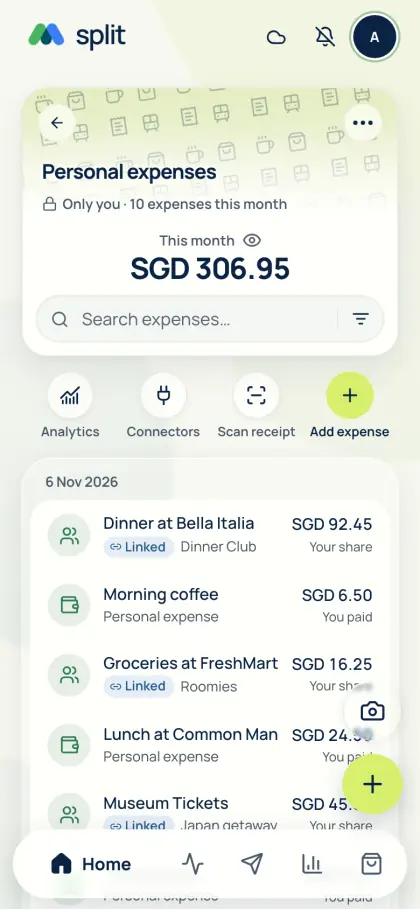
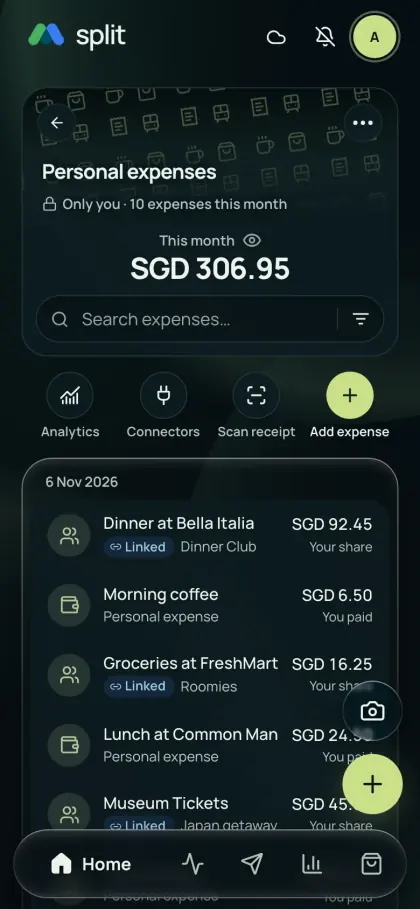
Add expenses your way
Tracking only works if logging is quick. Choose the fastest method for each purchase; there is no daily cap on typed entries.
- Type the amount, category and date in any currency.
- Scan a receipt with device OCR, which uses no AI allowance, or optional online AI, then check the items.
- Tell the assistant “I paid 12 for lunch” in the app or a private Telegram chat, then confirm the draft.
- Set rent, phone plans and subscriptions as weekly, monthly or yearly recurring expenses.
- In the phone app, supported payment alerts (Singapore) and Apple Wallet card taps on supported iPhones can become expenses for review.
See where the month went
Free analytics shows category breakdowns, spending trends, top purchases and daily averages. Filter by time, currency and scope to explore personal purchases alongside your share of group bills. Keep currencies separate or review converted totals; paying for friends does not turn their shares into your spending. Set monthly budgets, overall or by category, in Analytics → Budgets to see whether you are on track.
Build a useful Personal view
Paying for friends should not inflate your own spending. AA split counts your included share of each bill, keeps what friends owe in the group balance and treats repayments as settlement, not new spending.
- Record a personal purchase or open a saved group expense.
- Check which group and meal shares are included in Personal. Use inclusion and hiding controls where needed.
- Follow a source link to correct the original record rather than adding a second copy.
Travel, offline and any currency
Each expense keeps its original amount and currency. Review totals per currency, or convert them with daily reference rates with no AA split markup or a rate you enter. After loading your account online once, you can add expenses offline; they sync when you reconnect.
Private, and yours to export
There is no bank login: AA split does not ask for bank credentials or retrieve your bank history. Personal spending stays in your account, and group members see only the expenses you share with them. Export CSV, Excel or PDF reports for free for a month, a custom period or all records.
A record, not a bank feed
These summaries cover saved expenses and included shares. They do not discover every purchase or connect to your bank account. Missing records or exchange rates affect totals. Supported phone payment alerts can help with some purchases, but coverage is limited.
Common questions
Is AA split a free personal expense tracker?
Yes. Manual expense tracking, categories, analytics and CSV, Excel or PDF exports are included for free. There are no ads or daily limits on manual entries. Optional AI features and receipt photo storage have separate allowances.
What is the best free expense tracker app?
It depends on how you spend. If you want a free tracker with no ads, unlimited typed entries, receipt scanning, categories, analytics and exports, and you often split costs with others, AA split is built for that because it counts only your share. If you need bank-account syncing or investment tracking, choose an app that offers those.
Can I use AA split only for personal expenses, without groups?
Yes. Every account has its own Personal spending. Add purchases there without creating a group; groups are optional when you later share a bill.
Does paying a shared bill count as my own spending?
Only your included share belongs in Personal spending. If you pay 90 for three equal shares, your cost is 30. The group balance separately records the 60 owed to you. Repayments settle a balance rather than creating another purchase.
Can I track expenses without connecting a bank account?
Yes. Enter purchases, scan receipts or enable supported payment alerts in the phone app. AA split does not ask for bank credentials or retrieve your full bank history. Check for missing records when reviewing your spending.
Can I track subscriptions and recurring bills?
Yes. Set rent, utilities, phone plans or subscriptions as weekly, monthly or yearly recurring expenses with an optional end date. Editing one posted occurrence does not change future ones, so update the schedule when a price changes.
Can I log expenses from Telegram?
Yes. Link your account to @AAsplitBot and send a message such as “I paid 12 for lunch” or a receipt photo in a private chat. Review the draft and confirm before it is saved. Personal spending stays in your private chat, not your group chats.
Can I take my spending history to a spreadsheet?
Yes. Export your selected Personal spending or group records as CSV, Excel or PDF for free. Choose the period and scope first; different currencies remain identifiable.
See Get the app for mobile availability. See what’s free · Privacy notice