
From photo to a fair split
A scan is a starting point, not a verified bill.
- Take a clear photo with the full receipt visible, or enter items manually.
- Review item names, quantities, prices and currency. Correct anything the scan misread.
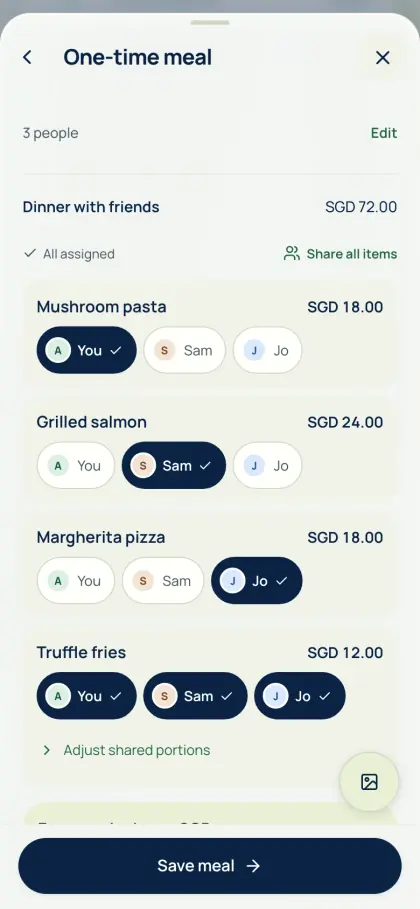
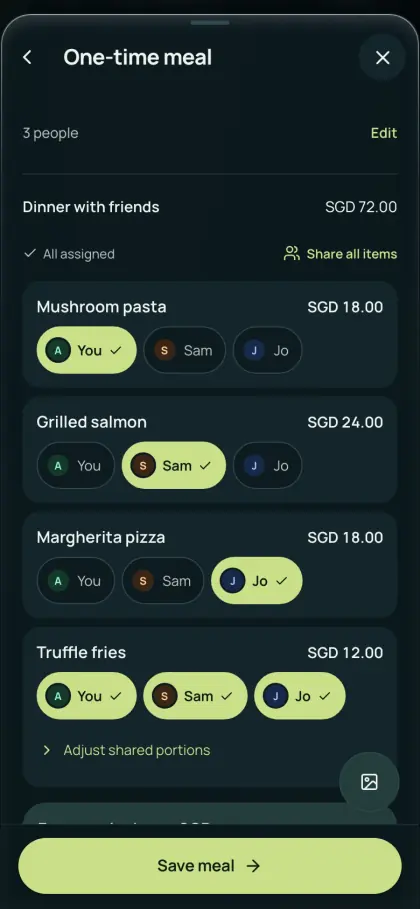
- Assign items, shared portions and adjustments. Match the total to the original receipt before saving.
Device OCR or optional online AI
Device OCR reads text locally, uses no AI allowance and has no scan cap. Download the required language/model assets before going offline; availability depends on browser support and the language pack. Optional online AI sends the relevant receipt to a processor and uses your free AI scans for the day, then AA credits.
Free AI scans, then AA credits
Every account gets free AI receipt scans each day, rescans included. After that, AI scans use optional AA credits, which never expire, or you can wait for your free scans to come back. S$3 of AA credits covers up to about 460 one-page AI receipt scans. Device OCR and manual entry stay unlimited. Guest AI has a separate two-attempt browser allowance per UTC month; failed provider attempts can use it.
Common questions
Can I split a receipt by what each person ordered?
Yes. AA split turns a receipt into editable items. Assign each dish to the people who had it, split shared items and review tax or service adjustments. Check every share and the receipt total before saving.
Is receipt scanning unlimited?
Receipt scanning is unlimited with device OCR, subject to device and language support. Every account gets free AI receipt scans each day, then optional AA credits pay for more. S$3 of AA credits covers up to about 460 one-page AI receipt scans. You can always continue with device OCR.
Can friends see a meal split without creating an account?
Yes. The creator reviews the receipt, signs in and saves a one-time meal, then shares its private link. Friends can view their items and shares without an account for seven days. Saving a share to Personal expenses requires sign-in.
See Get the app for mobile availability. See what’s free · Privacy notice